![NOL Card Balance Check [2026 Guide]: Check Your NOL Balance Online in Dubai](https://khaleejbuzz.com/wp-content/uploads/2026/07/Nol-Card-Balance-Check-UAE.webp)
NOL Card Balance Check [2026 Guide]: Check Your NOL Balance Online in Dubai
Keeping track of your NOL card balance is important if you regularly use Dubai’s public transport. Whether you travel by Metro, Bus, Tram, or Water Bus, checking your balance before starting your journey helps you avoid delays and ensures you always have enough credit to pay your fare.
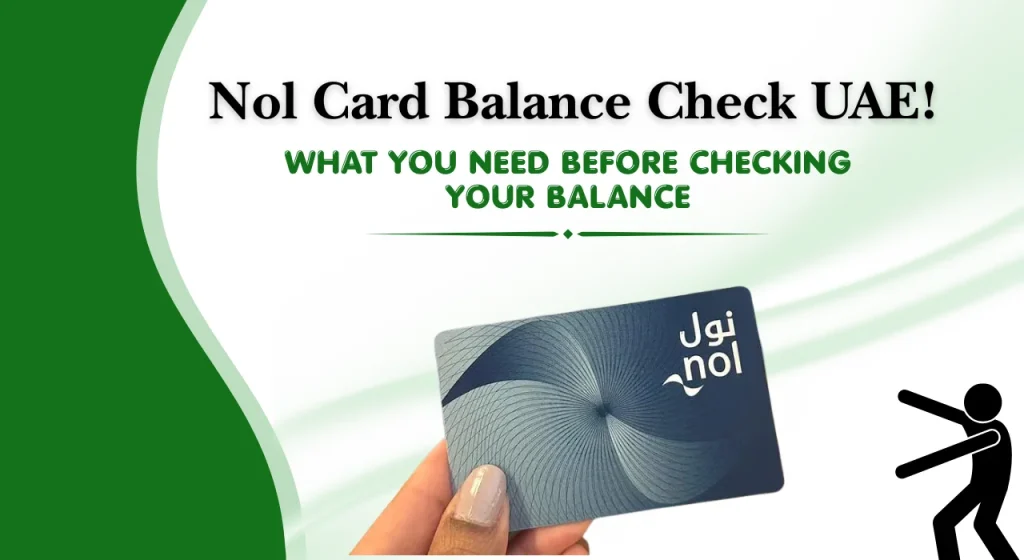
Fortunately, there are several quick and easy ways to perform a NOL card balance check. You can check your balance online, through the official mobile app, by SMS, at Metro stations, or at authorised retailers across Dubai.
Kahleej Buzz explains every official method to check your balance, recharge your card, view your transaction history, understand different NOL card types, and solve common issues that users may face.
Nol Balance Check Online
Checking your NOL card balance online is one of the quickest and most convenient methods. All you need is your NOL Card Tag ID and an internet connection. Within seconds, you can see your available balance and confirm whether your card has enough credit for your next trip.
The online method is suitable for residents, commuters, visitors, and tourists who want a fast balance enquiry without visiting a Metro station.
Instant NOL Balance Checker
An online balance checker allows you to verify your available credit by entering your NOL Card Tag ID. Once the details are submitted, the system retrieves your latest card information and displays your remaining balance.
Using an online checker helps you:
What You Need Before Checking Your Balance
Before starting a NOL card balance check, make sure you have the following:
What Is a NOL Card?
A NOL card is Dubai’s smart travel card used to pay for public transport operated across the emirate. Instead of purchasing individual paper tickets for every journey, passengers simply tap their card when entering and exiting transport stations.
The prepaid card stores credit, making travel faster and more convenient for daily commuters and visitors alike.
How the NOL Card Works
A NOL card uses contactless smart card technology. You simply tap the card on a reader when beginning and ending your journey. The correct fare is automatically deducted based on the number of travel zones crossed.
The same card can also be used for selected parking payments and purchases at participating retail outlets.
Where to Find Your NOL Card Tag ID
Your NOL Card Tag ID is printed on the front or back of your card, depending on the card type. This unique number is required when checking your balance online or through certain digital services.
Always enter the Tag ID carefully to avoid incorrect search results.
Where You Can Use a NOL Card in Dubai
A NOL card can be used across many transport and payment services throughout Dubai.
These include:
- Dubai Metro
- Dubai Tram
- Public buses
- Water Bus services
- Public parking payments
- Selected retail stores and authorised merchants
Its wide acceptance makes it one of the most convenient payment methods for everyday travel in Dubai.
Types of NOL Cards
Dubai offers several types of NOL cards to suit different travellers. Each card has its own features and is designed for specific travel needs.
| NOL Card Type | Description |
| Silver NOL Card | Standard rechargeable card suitable for most residents and regular commuters. |
| Gold NOL Card | Offers access to Gold Class cabins while supporting all standard travel services. |
| Personal (Blue) NOL Card | Registered card with balance protection and personalised benefits. |
| Red Ticket | Disposable ticket designed for tourists and occasional travellers. |
| Virtual / Digital NOL Card | Digital version available on supported mobile devices for contactless travel. |
| Special NOL Cards | Discounted cards available for eligible students, senior citizens, and People of Determination. |
Choosing the right NOL card depends on how often you travel, whether you need discounted fares, and if you prefer additional security through a registered card.
How to Do a Nol Balance Check
Dubai provides multiple official methods to check your NOL card balance. Some options require internet access, while others work offline at stations or retail locations.
Below are the most commonly used methods.
Method 1, Check NOL Balance Online
Checking your NOL card balance online is the fastest option for most users. It only requires your NOL Card Tag ID and takes less than a minute.
This method is available from any device with internet access and can be used at any time.
Step 1: Enter Your NOL Card Tag ID
Open the official online balance enquiry page and enter your NOL Card Tag ID exactly as shown on your card.
Double-check the number before continuing to avoid errors.
Step 2: Submit the Details
After entering the Tag ID, submit the request.
The system will verify your card details and retrieve the latest balance information.
Step 3: View Your Current Balance
Once the search is complete, your available balance will appear on the screen.
You may also see additional details such as:
This method is recommended because it is fast, simple, and available 24 hours a day.
Method 2, Check Balance Using the Nol Pay App
The official mobile app is one of the easiest ways to manage your NOL card.
To check your balance:
- Install and open the official Nol Pay App.
- Sign in if required.
- Scan or add your NOL card.
- Select your card from the dashboard.
- Your current balance will be displayed instantly.
The app is ideal for people who frequently travel using Dubai’s public transport because it combines several card management features in one place.
Advantages
Method 3, Check Balance via SMS
If you do not have internet access, SMS can be a useful alternative for checking your balance, where the service is available.
To use this method:
- Open the messaging app on your phone.
- Follow the official SMS format for balance enquiries.
- Send the message to the designated service number.
- Wait for the reply containing your available balance.
This method is especially useful when travelling or when mobile data is unavailable.
Benefits of SMS balance checking
Method 4: Check at Metro Station Ticket Machines
Dubai Metro stations are equipped with self-service ticket vending machines that allow passengers to check their NOL card balance within seconds.
Follow these steps:
- Visit any Dubai Metro station.
- Locate a ticket vending machine near the entrance or ticketing area.
- Place or tap your NOL card on the card reader.
- Wait a few seconds while the machine reads your card.
- Your available balance will be displayed on the screen.
Most ticket vending machines also allow you to recharge your NOL card immediately if your balance is running low, making this a convenient option before starting your journey.
Best for: Daily commuters, tourists, and users without internet access.
Method 5: Check at Metro Ticket Offices and Customer Service Centres
If you prefer assistance from staff or are facing issues with your card, you can visit a Metro ticket office or customer service centre.
Staff members can help with your FAB balance check, verify your card details, and answer questions about your NOL card.
Follow these steps:
- Visit the customer service counter at any Dubai Metro station.
- Hand your NOL card to the staff member.
- Request a balance enquiry.
- The staff will scan your card using their system.
- Your current balance and card information will be provided.
This method is particularly useful if your card is not working properly or if you need help with recharges, expiry, or transaction-related enquiries.
Best for: Users who need assistance or have card-related issues.
Method 6: Check at Authorised Retail Stores
Many authorised retail outlets and supermarkets across Dubai provide NOL card services, including balance enquiries and recharge facilities. This option is helpful if you are away from a Metro station.
Follow these steps:
- Visit an authorised retail outlet that offers NOL card services.
- Ask the cashier to check your NOL card balance.
- Hand over your NOL card for scanning.
- The cashier will check your available balance using the store’s system.
- If required, you can recharge your card during the same visit.
Best for: Residents who want to check or recharge their card during everyday shopping.
Method 7: Check Using Card Readers
Dedicated NOL card readers are installed at many Metro stations and transport facilities. These devices provide a quick way to check your balance without waiting in line.
Follow these steps:
- Locate an available NOL card reader.
- Tap your NOL card on the reader.
- Hold the card steady for a few seconds.
- Wait for the reader to process your card.
- Your remaining balance will appear on the display.
Best for: Quick balance checks while entering or exiting transport stations.
Method 8: Check via Official Chat Support (If Available)
Official digital support channels may offer chat assistance for general NOL card enquiries.
Follow these steps:
- Open the official customer support or chat service.
- Start a new conversation with the virtual assistant or support representative.
- Choose the option related to NOL card services or balance enquiries.
- Follow the instructions provided during the chat.
- If necessary, you will be directed to the appropriate official balance checking service or advised on the next steps.
Best for: Users seeking guidance, troubleshooting, or assistance with NOL card services.
Comparison of NOL Balance Check Methods
With several balance enquiry options available, choosing the right one depends on your situation. Some methods are faster, while others work without internet access or are better suited for people already travelling.
The table below compares the most common methods.
| Method | Speed | Internet Requirement | Availability |
| Online Balance Checker | Very Fast | Yes | 24/7 |
| Nol Pay App | Very Fast | Yes | 24/7 |
| SMS | Fast | No | Depends on mobile network |
| Metro Ticket Machine | Instant | No | During station operating hours |
| Customer Service Centre | Moderate | No | During service centre hours |
| Authorised Retail Store | Moderate | No | Store operating hours |
| Card Reader | Instant | No | Available at supported locations |
| Official Chat Support | Fast | Yes | Subject to support availability |
What Is the Minimum NOL Card Balance?
Before starting your journey, it’s important to complete an Al Ansari balance check and ensure your NOL card has enough credit for Dubai Metro and other public transport services.
Checking your balance regularly helps prevent delays and avoids the inconvenience of being unable to start your trip.
Minimum Balance Required for Travel
To travel on Dubai’s public transport network, your NOL card must have at least AED 7.50 available. This minimum balance applies to Metro, Tram, and most public transport services that use the NOL card.
If your balance falls below this amount, you should recharge your card before beginning your journey.
What Happens If Your Balance Is Too Low?
If your balance is below the required minimum, you may experience the following:
For regular commuters, keeping extra credit on the card is a good practice to avoid unexpected interruptions.
How to Recharge Your NOL Card
Recharging your NOL card is simple and can be done through several official channels. Whether you prefer online services or in-person payments, there are multiple options available throughout Dubai.
Adding credit before your balance becomes too low helps ensure uninterrupted travel.
Recharge Online
You can recharge your NOL card online using the official recharge service by entering your card details and selecting the amount you wish to add.
Online recharge is convenient because it can be completed from home or anywhere with an internet connection.
Recharge Through the Mobile App
The official Nol Pay App allows eligible users to top up their NOL card directly from their mobile device.
Simply select your registered card, choose the recharge amount, complete the payment, and follow any activation instructions if required.
Recharge at Metro Stations
Every Dubai Metro station has ticket vending machines and ticket offices where you can recharge your NOL card.
This option is useful if you are already travelling or prefer making payments in person.
Recharge at Retail Outlets
Many authorised supermarkets, convenience stores, and retail partners across Dubai also provide NOL card recharge services.
Ask the cashier to recharge your card with your preferred amount.
How Long Does It Take for a Recharge to Update?
The update time depends on the recharge method used.
If your balance does not update after a reasonable period, verify the transaction or contact customer support.
How to Check NOL Card Transaction History
Reviewing your transaction history helps you keep track of your travel expenses, monitor recent payments, and confirm that your recharges have been processed correctly.
You can usually access your transaction history through official digital services linked to your NOL card.
NOL Card Fares and Travel Zones
The fare charged for each journey depends on the number of travel zones crossed and the type of NOL card you use. Understanding Dubai’s fare structure can help you estimate travel costs and maintain sufficient balance.
Standard Fare Structure
Standard fares vary according to:
- Number of zones travelled
- Card type
- Passenger category
- Applicable concession discounts
The fare is automatically deducted when you tap out at the end of your journey.
Gold Class Fare Comparison
Gold NOL Cards provide access to Gold Class cabins on Dubai Metro and Tram.
While they offer a more comfortable travel experience, fares are higher than standard Silver or Personal cards for the same journey.
Travel Zones Explained
Dubai’s public transport network is divided into multiple travel zones.
The more zones you travel across during one journey, the higher the fare deducted from your NOL card balance.
Benefits of Regular Nol Balance Check
Checking your NOL card balance regularly takes only a few moments and helps avoid unnecessary travel problems.
Some key benefits include:
Advantages and Limitations of NOL Cards
Like any payment system, NOL cards offer many benefits but also have a few limitations. Understanding both helps you use your card more effectively.
Key Benefits
Some of the main advantages include:
Common Limitations
Despite their convenience, users may occasionally face certain limitations.
These include:
Common Nol Balance Check Problems and Solutions
Most balance enquiry issues can be resolved quickly with a few simple checks. The table below outlines common problems and practical solutions.
| Problem | Solution |
| Website not loading | Refresh the page, try another browser, or check your internet connection. |
| Invalid Card Number or Tag ID | Re-enter the Tag ID carefully and verify all digits. |
| No SMS response | Confirm the correct SMS format and ensure mobile network coverage. |
| Mobile app not working | Update the app, restart your device, or sign in again. |
| Card not detected by machines | Clean the card, tap again, or use another ticket machine. |
| Balance not updating after recharge | Allow processing time and complete any required activation. |
| Unable to view transaction history | Verify your account details or try again later if the service is temporarily unavailable. |
Common Mistakes to Avoid
Avoiding a few common mistakes can save time and prevent unnecessary issues while using your NOL card.
Entering an Incorrect Card Number
Always double-check your NOL Card Tag ID before submitting a balance enquiry. Even one incorrect digit can produce an error.
Checking Balance Immediately After Recharge
Some recharge methods require processing or activation before the updated balance appears. Waiting for the recommended period helps avoid confusion.
Using Unofficial Websites
Always use official or trusted sources when checking your balance or recharging your card to protect your personal information.
Ignoring Card Expiry
Check your card’s validity regularly. An expired card may require renewal before it can be used again.
Tips and Best Practices for Managing Your NOL Card
Following a few simple habits can help keep your card ready for daily travel and reduce the chances of unexpected issues.
Helpful Tips
NOL Card Validity, Expiry and Renewal
Like any smart card, every NOL card has a validity period. Checking your card’s expiry date helps prevent travel disruptions and ensures you can continue using Dubai’s public transport without interruption.
If your card is close to expiring, renew or replace it in advance to avoid any inconvenience.
How to Check Card Validity
You can check your NOL card’s validity using several official methods.
Some of the easiest options include:
Checking your card validity regularly is especially useful if you use your NOL card every day.
Expired NOL Cards
Once a NOL card expires, it can no longer be used for travel or payments. Depending on the card type and its registration status, you may be able to transfer any remaining balance to a replacement card.
If your card has expired, visit an official customer service centre or use the recommended renewal process as soon as possible.
Renewing Your Card
Renewing your NOL card is a straightforward process.
In most cases, you will need to:
- Check whether your card is eligible for renewal.
- Visit an authorised service point or use an available digital service.
- Complete the renewal request.
- Pay any applicable renewal or replacement fee, if required.
- Activate your renewed or replacement card before travelling.
Renewing your card before it expires helps avoid unnecessary delays during your daily commute.
Lost, Stolen or Damaged NOL Card
Losing your NOL card can be stressful, especially if it contains a remaining balance. Acting quickly helps protect your funds and increases the chances of recovering your balance, particularly if your card is registered.
What to Do Immediately
If your NOL card is lost, stolen, or badly damaged:
Taking prompt action helps minimise the risk of losing any remaining balance.
How to Block Your Card
If you have a registered Personal NOL Card, you can request that it be blocked after reporting it as lost or stolen.
Blocking the card helps prevent unauthorised use while your replacement request is being processed.
How to Recover Remaining Balance
Balance recovery generally depends on the type of NOL card you own.
Registered Personal NOL Cards usually provide better protection because the remaining balance can often be transferred to a replacement card after verification.
Anonymous or unregistered cards may have limited balance recovery options.
How to Request a Replacement
If your card is eligible, you can request a replacement by following the official procedure.
Typically, the process includes:
- Reporting the lost, stolen, or damaged card.
- Verifying your identity, where required.
- Paying any applicable replacement fee.
- Receiving your new card.
- Transferring the remaining balance, if eligible.
Conclusion
Performing a NOL card balance check regularly is one of the simplest ways to ensure smooth travel across Dubai’s public transport network. Whether you prefer checking your balance online, through the Nol Pay App, by SMS, or at Metro stations, each method offers a quick and convenient way to stay informed about your available credit.
Keeping sufficient balance, reviewing your transaction history, and recharging your card before it runs low can help you avoid travel interruptions and make your daily commute more convenient. If you ever experience issues such as a lost card, delayed balance updates, or card expiry, using the official support channels will help you resolve them quickly.
FAQs
How can I check my NOL card balance online?
You can check your NOL card balance online by entering your NOL Card Tag ID into the official balance enquiry service. Your available balance will be displayed within a few seconds.
Can I check my NOL balance without internet?
Yes. You can check your balance at Metro station ticket machines, customer service centres, authorised retail stores, or by SMS where the service is available.
Is there a fee to check my balance?
No. Checking your NOL card balance through official methods is generally free of charge.
Can I recharge my NOL card online?
Yes. Eligible NOL cards can be recharged online through official digital services and the Nol Pay App.
Where can I buy a NOL card?
NOL cards are available at Metro stations, bus stations, authorised retailers, ticket offices, and selected sales locations across Dubai.
How much does a NOL card cost?
The purchase price depends on the type of NOL card you choose. Different cards have different initial costs and included balance.
Can one NOL card be used for multiple passengers?
No. Each passenger must use their own NOL card when travelling on Dubai’s public transport system.
How long does the balance remain valid?
The validity of your balance generally depends on your card type and the card’s expiry date. Check your card details regularly to avoid any issues.
Are there discounts for students and senior citizens?
Yes. Eligible students, senior citizens, and People of Determination may qualify for concession fares through designated NOL cards after meeting the applicable requirements.
What should I do if my NOL card is lost?
Report the loss immediately through the official support channels. If your Personal NOL Card is registered, you may be able to block the card and recover the remaining balance.
Why is my balance not showing correctly?
This may happen if your recent recharge has not yet been activated, your card number was entered incorrectly, or there is a temporary system delay. Verify your details and try again after some time.
How long does it take for a recharge to reflect?
The update time depends on the recharge method. Some online recharges require activation before the new balance becomes available, while station recharges are often reflected immediately.
Can I transfer my NOL balance to another card?
Balance transfer is generally available only in specific situations, such as replacing an eligible registered Personal NOL Card. The transfer is subject to the applicable policies and verification requirements.