FAB Salary Card Balance Check 2026: Know Top 5 Easy Ways!
If you receive your salary through a FAB salary card or salary account in the UAE, checking your balance regularly can help you confirm when your pay has arrived and track your spending.

There are several ways to complete a FAB salary card balance check, including online banking, mobile banking, ATMs, SMS services, and customer support.
Khaleej Buzz explains the main options available in 2026 and what to do if your salary is not showing in your balance.
What Is a FAB Salary Card Balance Check?
A FAB salary card balance check lets you see how much money is currently available on your salary card. It can also help you confirm whether your latest salary payment has been credited.
The exact balance-check method depends on the type of card or account you have. A prepaid salary card may use a dedicated card enquiry service, while a normal salary account can usually be checked through online or mobile banking.
For security, always use the official banking channel linked to your card and avoid sharing your PIN, OTP, password, or full card details with anyone.
Salary Account vs Salary Card
A salary account is a bank account where your employer deposits your wages. You normally get access to online banking, a mobile app, a debit card, statements, and other account services.
A salary card, on the other hand, may be a prepaid payroll card. The money is loaded directly onto the card and can generally be used for purchases or cash withdrawals, depending on its terms.
| Feature | Salary Account | Salary Card |
| Bank account | Usually required | May not be required |
| Salary payment | Credited to account | Loaded onto card |
| Balance check | App, online banking, ATM | Card portal, ATM or other supported channels |
| Statement | Usually available | Depends on card type |
| ATM withdrawals | Usually available | Usually available |
5 Proven Ways Of FAB Salary Card Balance Check!
The best option depends on whether you have internet access, a registered mobile device, an ATM nearby, or a prepaid payroll card.
| Method | Best for | Internet needed? |
| Online portal | Quick online enquiry | Yes |
| Mobile app | Account holders | Yes |
| ATM | Cardholders without internet | No |
| SMS | Supported registered users | No mobile data needed |
| Customer care | Help with account or card issues | No |
Method 1: Check Your Balance Online
Online checking is convenient if you have an active internet connection and the correct login or card details.
Salary Card Balance Check Through the Official Online Portal
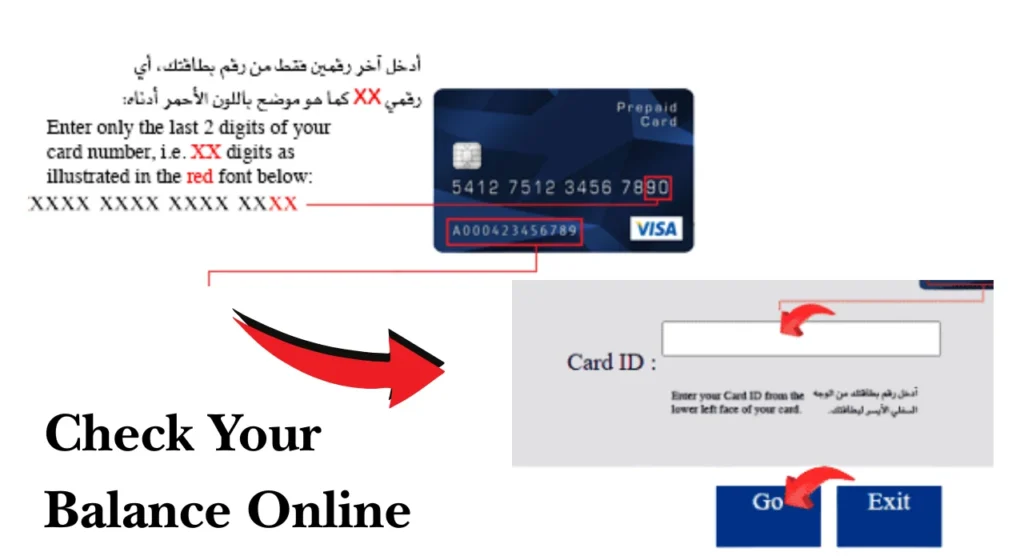
For supported prepaid cards, the bank provides online balance enquiry services. Its prepaid card information confirms that cardholders can use an online balance enquiry facility.
Use the official portal linked to your particular card rather than relying on an unofficial website or third-party balance checker.
Step-by-Step Online Balance Check
The general process is:
- Open the official online balance enquiry page.
- Enter the requested card or identification details.
- Complete any security verification.
- Submit the enquiry.
- Review the available balance and recent transaction information, if provided.
- Log out after completing the check, especially on a shared computer.
The fields shown can vary according to the card type, so follow the instructions displayed on the official page.
Method 2: Use the Mobile Banking App
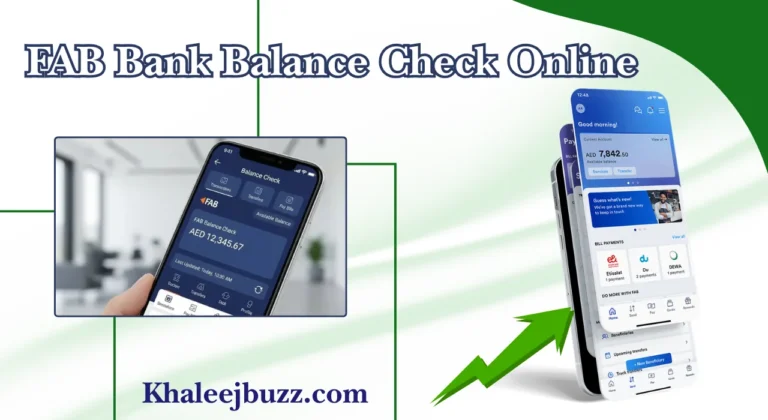
The mobile banking app is one of the easiest options for customers with a regular Fab bank account. It allows users to view balances and transaction details from their mobile device.
Salary Card Balance Check Through the Mobile App
If your salary is deposited into an eligible bank account, you can use the mobile banking app to view the available balance and recent transactions.
This method is also useful when you want to check whether a salary payment has arrived rather than simply viewing the current amount.
Step-by-Step App Balance Check
Follow these basic steps:
- Open the official banking app.
- Sign in using your registered security method.
- Select your salary or current account.
- View the available balance.
- Open recent transactions if you want to confirm the salary credit.
- Sign out or close the app when finished.
The official service status page currently lists account balance and transaction history through mobile banking as available.
Method 3: Check Your Balance at an ATM
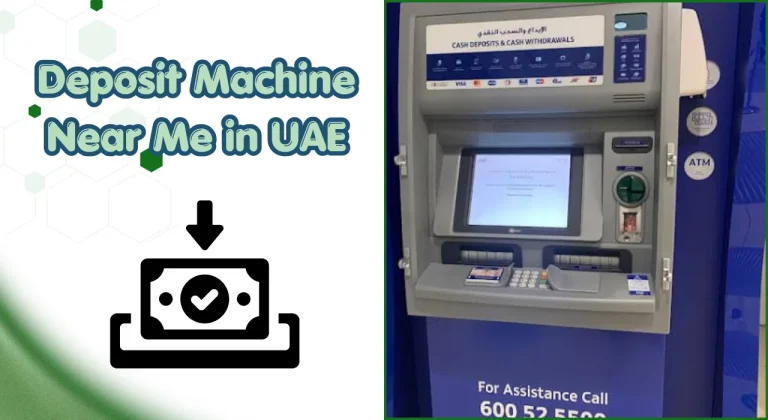
An ATM is useful when you do not have mobile data or prefer a physical balance enquiry. Salary and Fab prepaid card inquiry may support balance enquiries at eligible ATMs.
ATM Balance Check Steps
- Insert or tap your card where supported.
- Enter your PIN.
- Select the balance enquiry option.
- Check the displayed balance.
- Take your card before leaving the ATM.
Do not allow another person to enter your PIN or handle your card while you are making the enquiry.
Important ATM Balance Check Notes
An ATM may show the available balance rather than every pending transaction. If the amount looks different from your expected salary, check recent transactions through your approved digital channel or contact support.
Also, avoid using suspicious ATMs or entering card information into unofficial machines.
Method 4: Check Your Balance Through SMS Banking
SMS services can be useful for customers whose mobile number is registered with the bank and whose account or card supports SMS enquiries.
Salary Balance Check by SMS
The exact SMS format, number, and available commands can change. For this reason, use the current instructions provided by the bank instead of using an old SMS number found on a third-party website.
Some salary card programmes also provide SMS alerts when salary is credited. The official payroll card information confirms free SMS alerts for salary credits.
What Happens After Sending the SMS
If the service is active for your account or card, you may receive a reply showing the requested information. If nothing arrives, check that your mobile number is registered correctly and that the service is available for your card.
Key Benefits of SMS Balance Enquiry
SMS can be useful because:
Method 5: Contact FAB Customer Care
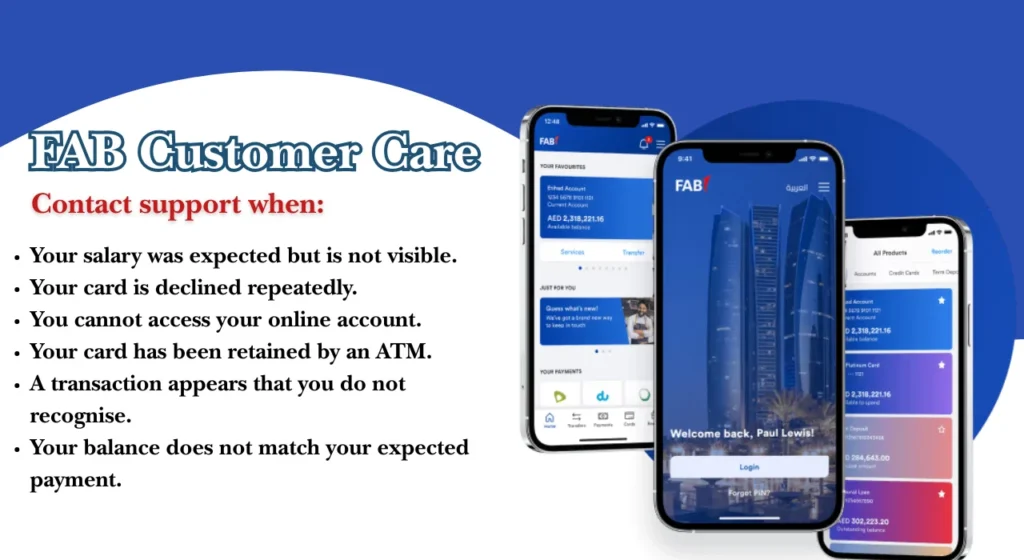
Customer support is the best option when your balance appears incorrect, your card is blocked, or you cannot access your usual balance-checking service.
Balance Check Through Telephone Banking
Use the official customer support number shown on your bank or card documentation. You may need to complete identity verification before account or card information is provided.
For payroll card support, an official support channel is available for cardholders.
When to Use Customer Support
Contact support when:
Salary Card Balance Check Without Internet
If you do not have internet access, you can normally consider an ATM, supported SMS service, or telephone banking.
The right choice depends on your card type. Keep your card and registered mobile number available, and never give your PIN or OTP to someone claiming to check your balance for you.
How to Check Your Salary Account Balance Online
A regular salary account normally provides more banking features than a prepaid salary card.
Online Banking Login for Salary Accounts
Sign in through the official online banking service and select your account to view the current balance and transaction history. The current online banking service status lists balance and transaction history as available.
Mobile App Balance Check for Salary Accounts
The mobile app can show your account balance, transaction details, and other banking information. It can also help you identify the date and amount of a recent salary credit.
Salary Card Balance Check Number and SMS Service
Many users search for a “FAB salary card balance check number” when they want a quick enquiry. However, the correct number depends on the service and card type.
Salary Card Balance Check Number
Use the current number listed on the official banking website, card documentation, or verified customer support page. Avoid numbers published on unrelated blogs because banking contact details can change.
SMS Balance Enquiry
For SMS enquiries, use only the current format supplied by the bank. If the service does not respond, use the mobile app, online portal, ATM, or customer support instead.
How to Get a FAB Bank Statement Online
A fab bank statement gives you more detail than a simple balance enquiry. It can show salary credits, withdrawals, transfers, purchases, and other transactions.
Downloading a Bank Statement as a PDF
Through supported online or mobile banking services, you can select the relevant account and statement period, then download an electronic statement where the feature is available.
The mobile banking service also supports downloading transaction history and e-statements.
Keep statements for your personal records, especially if you need to compare salary payments with your payslip.
Types of Salary and Bank Accounts in the UAE
Different account types serve different needs, so the best balance-check method depends on the product you use.
Current Accounts
Current accounts are designed for everyday banking and may include debit cards, transfers, ATM access, online banking, and statements. Salary payments can be credited directly into an eligible current account.
Savings Accounts
Savings accounts are generally used to hold money and may offer interest or other features depending on the account terms. If your salary is deposited into one, its balance can normally be checked through supported banking channels.
Digital Salary and Prepaid Accounts
Digital and prepaid salary solutions can allow employers to transfer wages electronically without requiring every employee to maintain a traditional bank account. Some prepaid payroll cards are specifically designed for salary payments.
Benefits of Regular Salary Card Balance Checks
Checking your balance after payday helps you know whether the expected payment has arrived and gives you a quick view of your available funds.
Benefits for Employees
Regular checks can help you:
Benefits for Employers
Employers can also benefit from accurate payroll records. If several employees report missing payments, checking payroll files and payment status early can help identify a wider issue.
Why Is Your Salary Not Showing in the Balance?
A missing salary does not always mean the payment has failed. There may be a processing delay or an issue with payroll information.
Common Salary Card Balance Check Problems and Solutions
Most Fab balance check problems can be narrowed down by checking the card status, login details, registered mobile number, and recent transactions.
Balance Not Showing Online
Confirm that you are using the correct portal and card details. If the service is temporarily unavailable, try the mobile app, ATM, or customer support.
Online Login Not Working
Check your login details and follow the official account recovery process. Avoid repeated failed attempts if they could lock your account.
SMS Balance Check Not Working
Confirm that your mobile number is registered and that SMS banking is available for your specific card or account. You can use an ATM or online service as an alternative.
Mobile App Balance Issue
Make sure you are using the latest official version of the app and that your device has a stable internet connection. If the balance still does not appear, check the service status or contact support.
ATM Check Fails or Card Is Declined
A declined card can result from a blocked card, incorrect PIN, insufficient available funds, ATM restrictions, or another security issue. Do not repeatedly enter an incorrect PIN.
Salary Is Credited but Cash Withdrawal Fails
If your balance shows the salary but an ATM will not dispense cash, check whether the card is active and whether there are withdrawal restrictions. If the issue continues, contact the card provider.
When Should You Contact Your Employer or HR?
Contact HR or payroll first when the problem appears to be related to the salary transfer itself.
Ask your employer to confirm:
This can help separate a payroll issue from a card or banking issue.
When Should You Contact Customer Care?
Contact FAB customer care when the salary has been processed but the balance remains incorrect, your card is blocked, or your digital banking access is not working.
Quick Customer Support Checklist
Before calling, keep these details ready:
Never provide your PIN, password, or OTP to another person.
Salary Card Balance Check Comparison
| Method | Internet | Best use | Main advantage |
| Online portal | Yes | Prepaid card enquiry | Quick online access |
| Mobile app | Yes | Salary account | Balance and transactions |
| ATM | No | Cardholders | Works without mobile data |
| SMS | No data required | Supported users | Simple and quick |
| Customer care | No | Problems and disputes | Personal assistance |
Conclusion
A FAB salary card balance check can be completed in several simple ways, depending on your card or account. Online services and mobile banking are convenient for regular checks, while ATMs, SMS services, and customer care can help when you are offline or facing a problem.
For salary delays, do not rely only on the balance screen. Check with your employer or payroll team to confirm whether the payment was processed, then contact the bank if the payment has been confirmed but is still not visible.
FAQs
How do I check my FAB salary card balance online?
Use the official online balance enquiry service supported by your card. If you have a regular salary account, you can also sign in to online banking or the mobile app to view the balance and transactions.
Can I check my balance without internet?
Yes. An ATM, supported SMS service, or telephone banking can provide alternatives where available. The exact options depend on your account or card.
Is salary card balance checking online free?
A fab balance enquiry may be free through supported digital services, but charges can vary by product or transaction type. Always check the current terms for your specific card.
What details are needed for an online balance enquiry?
The required information depends on the service. You may be asked for card details, identification information, or login credentials. Never enter your PIN or OTP into an unofficial website.
Why is my salary balance not showing?
Possible reasons include employer processing delays, WPS processing, incorrect payroll information, bank processing time, public holidays, or a temporary service issue. Check with HR first if the salary itself has not been confirmed as processed.
What should I do if my payslip and balance do not match?
Compare the net salary shown on the payslip with the actual salary credit.
Why is my salary card balance check not working?
The service may be unavailable, your card may have a restriction, your login details may be incorrect, or your registered mobile information may need updating.