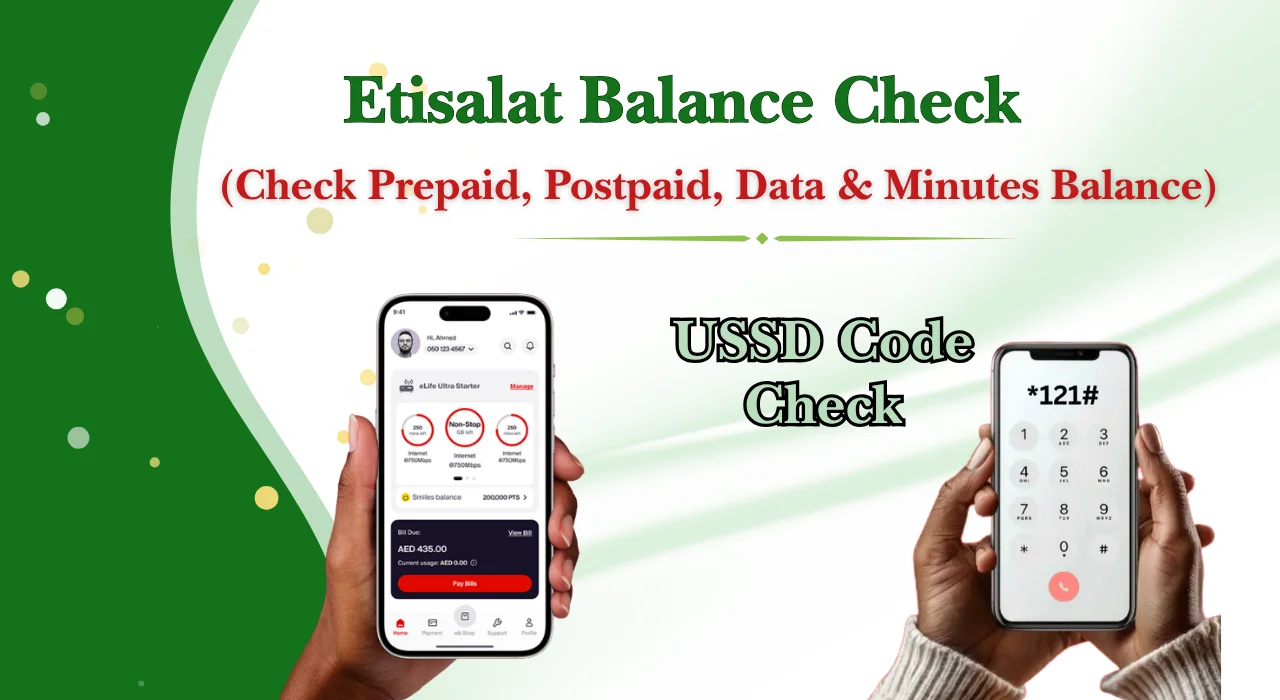
Etisalat Balance Check UAE (2026 Guide)
Etisalat Balance Check UAE: Complete Guide to Check Prepaid, Postpaid, Data & Minutes!
Keeping track of your mobile balance helps you avoid unexpected service interruptions and extra charges.
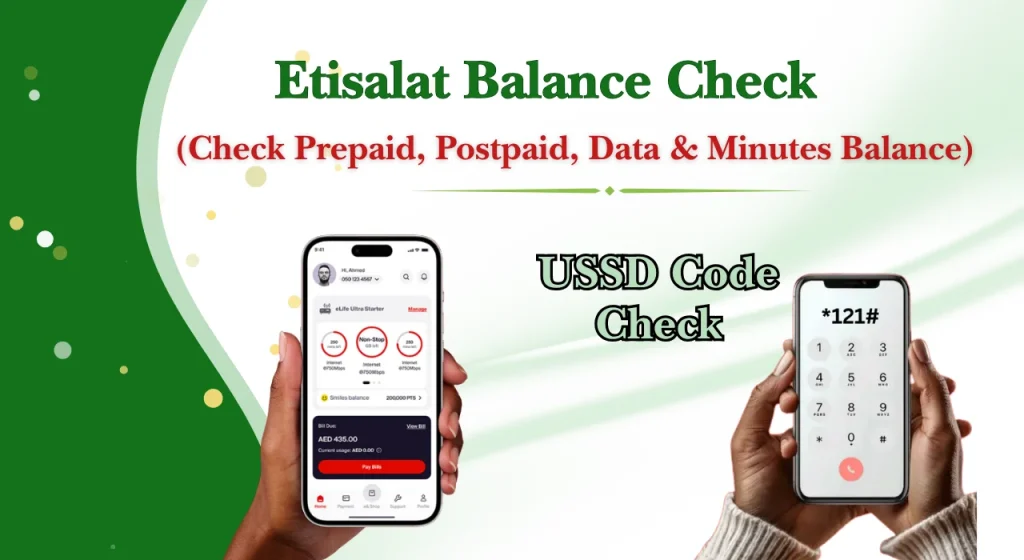
Fortunately, there are several quick methods available, including USSD codes, the mobile app, the online self-service portal, SMS, and customer support.
In Khaleej Buzz guide, you will learn everything about etisalat balance check, including the latest methods for checking prepaid and postpaid balances, data usage, international minutes, and useful USSD shortcuts available in the UAE.
If you also manage other essential services, guides such as lulu balance check, Fab balance check, hafilat recharge, and living in dubai can help you stay organised with your daily needs.
Why Checking Your Balance Regularly Matters
Checking your balance regularly can help you:
Quick Balance Check Methods at a Glance
There are several convenient ways to perform an etisalat Quick Pay. Each method suits different situations, whether you have internet access or not.
| Method | Best For | Internet Required |
| USSD Codes | Instant balance checks | No |
| Mobile App | Complete account management | Yes |
| Online Self-Service Portal | Viewing account details | Yes |
| SMS | Selected balance enquiries | No |
| Customer Support | Account assistance | Optional |
USSD Balance Check Codes (Quick Reference Table)
The following table provides commonly used etisalat balance check code options. Some services may vary depending on your mobile plan or account type.
| Service | USSD Code |
| Main Balance Check | *121# |
| Data Balance | Varies by active package |
| Postpaid Balance | Available through account services |
| Flexi Minutes | Depends on subscribed package |
| Recharge Menu | *120# |
Note: USSD codes and services may change over time. Always verify the latest codes through the official e& UAE support page at https://www.etisalat.ae/.
How to Check Prepaid Balance
Prepaid users have multiple options for checking their available credit. You can choose whichever method is most convenient depending on whether you have internet access.
Using USSD Codes
The easiest way to perform an etisalat balance check is by dialling the appropriate USSD code.
Follow these steps:
- Open the Phone application.
- Dial *121#.
- Press the call button.
- Wait a few seconds.
- Your available balance will appear on the screen.
This method works without Wi-Fi or mobile data, making it one of the quickest ways for how to check Etisalat balance.
Using the Mobile App
If you use the official mobile application, checking your balance only takes a few moments.
Steps include:
- Install the official app from your device’s app store.
- Sign in using your registered mobile number.
- Open the dashboard.
- View your:
- Main balance
- Remaining data
- Active packages
- Call minutes
- Recharge history
The application also lets you recharge your account, purchase data packages, and manage account settings from one place.
Using the Online Self-Service Portal
The online portal is another convenient option for prepaid users who prefer using a web browser.
Simply:
- Visit the official account portal.
- Sign in with your registered mobile number.
- Complete any verification steps if prompted.
- Open your account dashboard.
- Check your current balance and usage details.
Besides checking your balance, the portal allows you to review package information, recharge online, update account settings, and manage additional mobile services.
How to Check Postpaid Balance
Postpaid users can check their account balance, outstanding bill amount, remaining data, and included minutes using several convenient methods. Whether you prefer a quick USSD enquiry or managing your account online, there is an option for every user.
Using USSD Codes
One of the fastest ways to perform an etisalat balance check for a postpaid connection is through a USSD code.
To check your balance:
USSD codes are useful because they work without an internet connection and only take a few seconds.
Using the Mobile App
The official mobile app gives postpaid customers complete access to their account information.
After logging in, you can view:
You can also pay your bill, change your package, and purchase additional data directly from the app.
Using the Online Self-Service Portal
The online self-service portal is ideal for users who prefer accessing their account from a laptop or desktop computer.
After signing in, you can:
This method is particularly useful for business users who regularly monitor multiple mobile connections.
Using SMS
Some postpaid plans also support balance enquiries through SMS services.
Simply send the required keyword to the designated service number, if available for your plan. Within a few moments, you will receive a message showing your account information.
If SMS balance enquiries are unavailable for your package, you can use the mobile app or online portal instead.
How to Check Data Balance
Knowing your remaining internet data helps you avoid reduced browsing speeds or unexpected charges. Whether you are using a prepaid or postpaid connection, checking your remaining data only takes a few moments.
For Prepaid Users
There are several ways to complete an etisalat data balance check for a prepaid connection.
You can check your remaining data by:
The mobile app also displays:
Checking your remaining data regularly helps you manage your internet package more efficiently.
For Postpaid Users
Postpaid customers can monitor their internet usage from the mobile app or online account dashboard.
The dashboard usually displays:
If you are wondering how to check Etisalat data balance, the mobile app remains the most detailed option because it updates your usage in near real time.
How to Check International & Flexi Minutes Balance
If your package includes international or Flexi minutes, it is helpful to monitor the remaining balance before making overseas calls.
For Prepaid Users
Prepaid customers can check their remaining international and Flexi minutes through:
Most dashboards display:
For Postpaid Users
Postpaid customers can easily monitor their included minutes through the official app or online account portal.
You can usually view:
Reviewing your remaining minutes regularly helps prevent additional international calling charges.
Other Useful USSD Codes and Shortcuts
Besides checking your balance, several USSD shortcuts provide quick access to useful account services.
| Service | Shortcut |
| Balance enquiry | *121# |
| Recharge menu | *120# |
| Account services | Available through service menu |
| Package management | Available through service options |
| Customer support | Accessible from the service menu |
As USSD services are updated occasionally, it is always recommended to verify the latest shortcuts through the official e& UAE support pages.
How to View Your Usage History
Monitoring your usage history helps you understand how your balance is being used throughout the month.
Data Usage
The official app and online portal provide detailed internet usage information.
You can usually see:
Reviewing these details helps identify heavy data usage and manage your internet package more effectively.
Call History
Your account dashboard also allows you to review recent calling activity.
Depending on your plan, you may be able to view:
Common Balance Check Problems and Solutions
Although checking your balance is usually straightforward, users may occasionally experience technical issues. Most problems can be resolved within a few minutes.
| Common Etisalat Balance Check Problem | Recommended Solution |
| USSD code not working | Confirm you entered the correct etisalat balance check code, ensure your SIM is active, check for network issues, restart your phone, and contact customer support if the problem continues. |
| SMS balance check failed | Make sure your mobile signal is stable, verify that your plan supports SMS balance enquiries, wait a few minutes, then restart your device and try again. |
| Unable to log in to the mobile app | Check your login credentials, reset your password if needed, update the app to the latest version, ensure you have a working internet connection, and clear the app cache. |
| Self-service portal not loading | Refresh the webpage, clear your browser’s cache and cookies, try a different browser, check your internet connection, or try again later if the portal is under maintenance. |
| Incorrect balance displayed | Wait a few minutes after a recharge or package activation, as system updates or network synchronisation may cause temporary delays. If the balance remains incorrect, contact customer support. |
| Network connectivity problems | Move to an area with better signal coverage, toggle Airplane Mode on and off, restart your phone, reinsert your SIM card, and try the balance check again after a few minutes. |
Tips for Managing Your Mobile Balance Efficiently
Whether you use a prepaid or postpaid connection, these tips can help you manage your account more effectively.
Conclusion
Performing an etisalat balance check regularly is one of the simplest ways to manage your mobile account in the UAE.
Whether you are using a prepaid or postpaid connection, you can quickly check your remaining balance, internet data, and call minutes using USSD codes, the mobile app, the online self-service portal, SMS, or customer support.
FAQs
What is the USSD code to check balance?
The most commonly used etisalat balance check code is *121#. Dial the code from your registered mobile number and follow the on-screen instructions to view your available balance.
How can I check my balance without the mobile app?
You can check your balance by:
- Dialling the appropriate USSD code.
- Using the online self-service portal.
- Sending an SMS if your plan supports it.
- Contacting customer support.
How can I check my data balance?
You can complete an etisalat data balance check using:
- The official mobile application.
- The online self-service portal.
- The relevant USSD code for your active data package.
How can I check my postpaid balance by SMS?
Some postpaid plans allow balance enquiries through SMS services. Availability depends on your subscription. If SMS is not supported, use the mobile app or online portal instead.
Can I check my balance without an internet connection?
Yes. USSD codes work without mobile data or Wi-Fi, making them one of the fastest ways to check your available balance.
What is the difference between *121# and *140#?
Different USSD codes provide different account services. While *121# is commonly used for balance enquiries, other codes may offer access to package information or additional account features.
What does 1013030# do?
This code is associated with specific account services or promotional offers on eligible mobile plans.
Can I transfer mobile credit to another number?
Yes, etisalat balance transfer is available for eligible prepaid customers.

![NOL Card Balance Check [2026 Guide]: Check Your NOL Balance Online in Dubai](https://khaleejbuzz.com/wp-content/uploads/2026/07/Nol-Card-Balance-Check-UAE-768x420.webp)