How to Activate FAB Debit Card Online: 3 Quick & Simple Ways!
If you have recently received your debit card, activating it is the first step before you can use it for ATM withdrawals, shopping, online payments, and other banking services.
Fortunately, the process is simple and can be completed through several secure methods without visiting a branch.
In this UAE guide, Kahleej Buzz explains everything you need to know about activating your FAB debit card. You will learn the requirements, different activation methods, helpful tips, and solutions to common problems so you can start using your card with confidence.
What Is a Debit Card?
A debit card is a payment card linked directly to your bank account. Instead of borrowing money like a credit card, it allows you to spend only the available balance in your account.
Debit cards are commonly used across the UAE for everyday purchases, ATM withdrawals, bill payments, and online shopping.
Key Features of a Debit Card
Some of the main features include:
Many users also use their debit card to perform everyday banking tasks, including How to Check Fab balance, paying utility bills, and making retail purchases.
Types of Debit Cards Available
| Debit Card Type | Description |
| Standard Debit Card | Suitable for everyday banking, ATM withdrawals, and purchases. |
| Salary Debit Card | Designed for employees who receive monthly salary payments. |
| Premium Debit Card | Offers additional banking features and exclusive customer benefits. |
| Business Debit Card | Created for business-related spending and company account access. |
| Contactless Debit Card | Allows quick tap-and-pay transactions at supported terminals. |
| International Debit Card | Can be used for purchases and cash withdrawals in many countries, subject to bank policies. |
The exact debit card available depends on your account type and banking relationship.
FAB Debit Card Activation
Before using your new debit card, it must be activated. Activation confirms that you have received the card and allows banking systems to enable it for secure transactions.
Benefits & Importance
Activating your debit card offers several advantages for everyday banking.
Some of the key benefits include:
Whether you use your account for salary payments or personal banking, activating your card ensures you can start using all available services without delay.
Requirements Before Activating Your Debit Card
Before starting the activation process, it is important to have the required information ready. This helps prevent delays and ensures your request is processed successfully.
Essential Details You Need
Depending on the activation method, you may need:
Keeping these details nearby will make the process quicker and smoother.
Security Verification Requirements
To protect customers from fraud, identity verification is required before a debit card can be activated.
Verification may include:
Always complete the verification process using official banking channels only.
Never share your OTP, PIN, or passwords with anyone, even if they claim to represent the bank.
Registering Your Mobile Number
Your registered mobile number plays an important role during activation.
If your current mobile number is outdated, update it before attempting activation. This can help prevent delays caused by missing OTP messages or failed identity verification.
Keeping your contact details current also makes it easier to receive banking notifications and manage your account securely.
Many customers who receive salaries electronically also rely on services such as Ratibi Balance Check or even search for lulu balance check alongside their regular banking activities, making an updated mobile number essential for receiving alerts and verification messages.
Top 3 Ways to Activate Your FAB Debit Card Online
Activating your debit card online is one of the easiest ways to start using your card without visiting a branch.
Most users prefer digital activation methods because they are quick, convenient, and available from anywhere in the UAE.
Method 1: Activate via Mobile Banking App
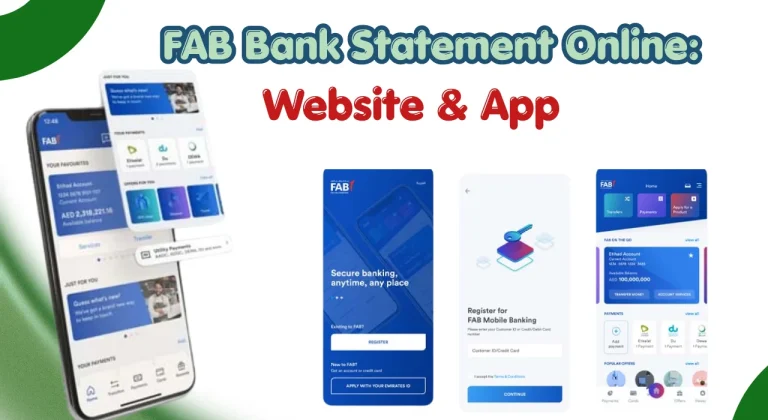
Mobile banking is one of the most convenient ways to activate your debit card. It allows you to complete the process directly from your smartphone while also giving access to other banking services.
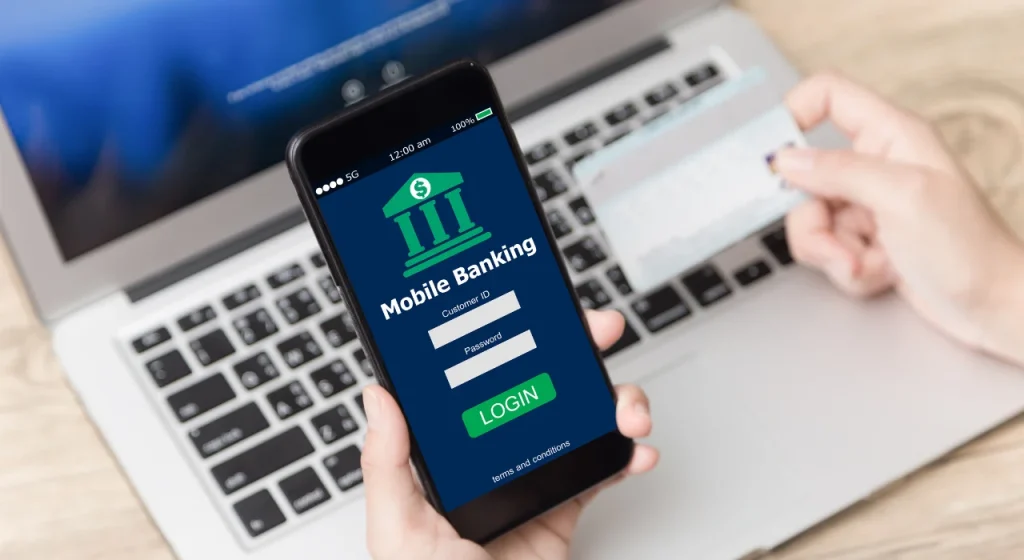
The mobile app method is suitable for users who already have access to mobile banking and have registered their account details.
Step-by-Step Mobile App Activation
Follow these steps to activate your debit card through the mobile banking application:
- Download and install the official banking mobile application from your device’s app store.
- Open the application and log in using your registered username and password.
- Select the card management or debit card services option.
- Choose the debit card that needs activation.
- Select the card activation option.
- Verify your identity using the required security method.
- Enter the OTP sent to your registered mobile number, if requested.
- Confirm the activation request.
- Wait for the confirmation message that your card has been activated.
After successful activation, your debit card should be ready for ATM withdrawals, purchases, and other supported services.
If you are using mobile banking for the first time, you may need to complete registration before activating your card. Make sure your mobile number is updated with your bank to avoid OTP-related issues.
Benefits of Mobile App Activation
Activating your card through a mobile application provides several advantages:
The mobile app also helps users monitor transactions, manage payments, and check their account details from one place.
Method 2, Activate via Online Banking
Online banking is another simple option for customers who prefer using a computer or mobile browser. It provides access to various account services, including debit card management.

This method is useful for users who already have active online banking credentials.
Step-by-Step Online Banking Activation
To activate your debit card through online banking, follow these steps:
- Visit the official online banking website.
- Enter your username and password to log in.
- Complete any required security verification.
- Open the card management section.
- Select your new debit card.
- Choose the activation option.
- Confirm your card details.
- Complete OTP verification if required.
- Submit the activation request.
- Wait for the confirmation notification.
Once the activation is completed, your card will be ready to use according to the available services linked with your account.
If you cannot access online banking, check your login details or use the available password recovery options before trying again.
Benefits of Online Banking Activation
Online banking activation offers the following benefits:
Online banking is also useful for reviewing account activity, managing payments, and completing other banking tasks.
Method 3, Activate via SMS
SMS activation can be a convenient option for users who prefer simple mobile-based services. However, availability depends on the card type and supported banking services.

Before using this method, ensure that your registered mobile number is active and linked to your account.
Step-by-Step SMS Activation
The general SMS activation process includes:
- Open the messaging application on your registered mobile phone.
- Use the required activation format provided by the bank.
- Send the message to the approved service number.
- Wait for the confirmation message.
- Follow any additional instructions provided.
The exact SMS format and number may vary, so always check the latest instructions through official banking channels.
Important Things to Know Before Using SMS Activation
Keep the following points in mind:
Alternative Ways to Activate Your Debit Card
These options are helpful for users who prefer traditional banking methods or face difficulties with digital activation.
Activate Through an ATM
ATM activation is a straightforward option that allows customers to activate their card while using a supported ATM.
This method may also help confirm that your card and PIN are working correctly.
Step-by-Step ATM Activation
Follow these steps:
- Visit a supported ATM location.
- Insert your new debit card into the machine.
- Enter your assigned or temporary PIN.
- Select the card services option.
- Choose card activation if available.
- Follow the instructions displayed on the screen.
- Complete the confirmation process.
- Remove your card safely after completion.
After activation, you may be able to perform ATM withdrawals and other supported transactions.
Benefits of ATM Activation
ATM activation provides several advantages:
Activate Through Phone Banking or Customer Support
Phone banking provides another option for customers who need assistance during activation.
A customer service representative can guide you through the process after completing identity verification.
How Phone Banking Activation Works
The process generally involves:
- Calling the official customer support number.
- Selecting the card services option.
- Providing required verification information.
- Requesting card activation assistance.
- Following the representative’s instructions.
- Receiving confirmation after successful activation.
Never provide your PIN or OTP to anyone during a phone call.
Benefits of Phone Banking
Phone support can be useful because:
Step-by-Step Activation Summary
Activating your debit card becomes easier when you follow the correct order.
| Step | Action |
| 1 | Keep your debit card and registered mobile number ready. |
| 2 | Choose your preferred activation method. |
| 3 | Enter required card or account details. |
| 4 | Complete security verification. |
| 5 | Confirm the activation request. |
| 6 | Wait for the activation confirmation message. |
| 7 | Test your card with a small transaction if required. |
Once activated, you can start using your debit card for daily payments, ATM withdrawals, and other available banking services.
How to Generate or Change Your Debit Card PIN
A Personal Identification Number (PIN) adds an extra layer of security to your debit card. You need your PIN for ATM withdrawals and many card transactions. After activating your debit card, setting a secure PIN is an important step before regular use.
Your PIN should be easy for you to remember but difficult for others to guess. Avoid using simple combinations such as birthdays, phone numbers, or repeated digits.
Generate a PIN Using an ATM
Many customers can generate or set their debit card PIN through a supported ATM.
The general process includes:
- Insert your debit card into the ATM.
- Select the PIN generation or PIN services option.
- Enter the required verification details.
- Create a new PIN.
- Confirm the PIN by entering it again.
- Complete the process and safely remove your card.
After generating your PIN, keep it private and avoid writing it on your card or sharing it with anyone.
Change Your PIN Using Mobile Banking
If mobile banking supports PIN management, you may be able to change your PIN through the application.
The usual steps are:
- Log in to your mobile banking app.
- Open card management settings.
- Select your debit card.
- Choose the PIN change option.
- Verify your identity.
- Create a new secure PIN.
- Confirm the update.
Changing your PIN regularly can improve account security, especially if you believe someone else may know your current PIN.
Tips for a Smooth Debit Card Activation
Following a few simple steps can help you complete your debit card activation without unnecessary delays.
Keep these important tips in mind:
Common Debit Card Activation Problems and Solutions
Sometimes customers may experience issues while activating their debit card. Most problems can be fixed by checking account details, updating information, or contacting customer support.
| Problem | Solution |
| Card Not Activating | Check that you entered the correct card details and complete all required verification steps. If the issue continues, contact customer support. |
| OTP Not Received | Confirm that your registered mobile number is active, check your network connection, and request a new OTP if available. |
| Card Details Not Accepted | Recheck your card number, expiry date, and account information before submitting the request. |
| Card Blocked | Contact customer support to confirm the reason for blocking and request assistance with reactivation. |
| App Login Failure After Activation | Check your login details, update the app, or reset your password if required. |
| Biometric Login Not Working | Ensure your device settings allow biometric access and try logging in using your password instead. |
How Long Does Debit Card Activation Take?
In most cases, debit card activation is completed within a few minutes after successful verification. Online and mobile banking methods are usually faster because they provide instant confirmation.
However, activation time may vary depending on:
If your card remains inactive after completing the process, wait for a short period and try again. If the problem continues, contact customer support.
Benefits of Using a Debit Card
Debit cards are widely used in the UAE because they provide a simple and secure way to manage daily spending.
Some important benefits include:
Customer Support and Assistance
If you face any issue during activation, customer support can help guide you through the correct process.
You may need assistance for:
For official information about UAE financial services and consumer protection, residents can also refer to the UAE Central Bank website:
https://www.centralbank.ae
Conclusion
Activating your debit card is a simple but important step before using it for payments, withdrawals, and other banking services. With online options such as mobile banking, online banking, and SMS activation, most customers can complete the process without visiting a branch.
ATM and phone banking options are also available for users who prefer additional support. Preparing your required details, keeping your mobile number updated, and following security practices can make the activation process faster and safer.
Once your debit card is activated, you can enjoy easier access to everyday banking services and manage your finances more efficiently.
FAQs
How can I activate my debit card online?
You can activate your debit card online through supported digital banking services. Usually, you need to log in, select your card, complete verification, and confirm activation.
Can I activate my debit card without visiting a branch?
Yes, many customers can activate their debit card through mobile banking, online banking, SMS services, ATMs, or phone banking without visiting a branch.
Is there any activation fee?
Generally, debit card activation does not require a separate fee. However, customers should check the latest service terms for any applicable charges related to specific banking services.
Why is my debit card not working after activation?
Your card may not work due to incorrect activation, blocked status, expired details, PIN issues, or temporary technical problems. Check your card status and contact customer support if needed.
Can I use my debit card internationally after activation?
Many debit cards can be used internationally if international transactions are enabled. Check your card settings or contact customer support before travelling.
What is the debit card activation number?
The activation support number depends on the banking service provider. Always use the official customer support number provided through authorised banking channels.
How do I generate or reset my debit card PIN?
You can usually generate or reset your PIN through supported ATMs, mobile banking services, or customer support after completing identity verification.