Etisalat Recharge Online UAE (2026 Guide): How to Recharge Etisalat Prepaid Instantly
Keeping your mobile balance active is important whether you use your phone for calls, mobile data, or international communication. Fortunately, Etisalat recharge services in the UAE make it simple to top up your prepaid number through several secure methods.
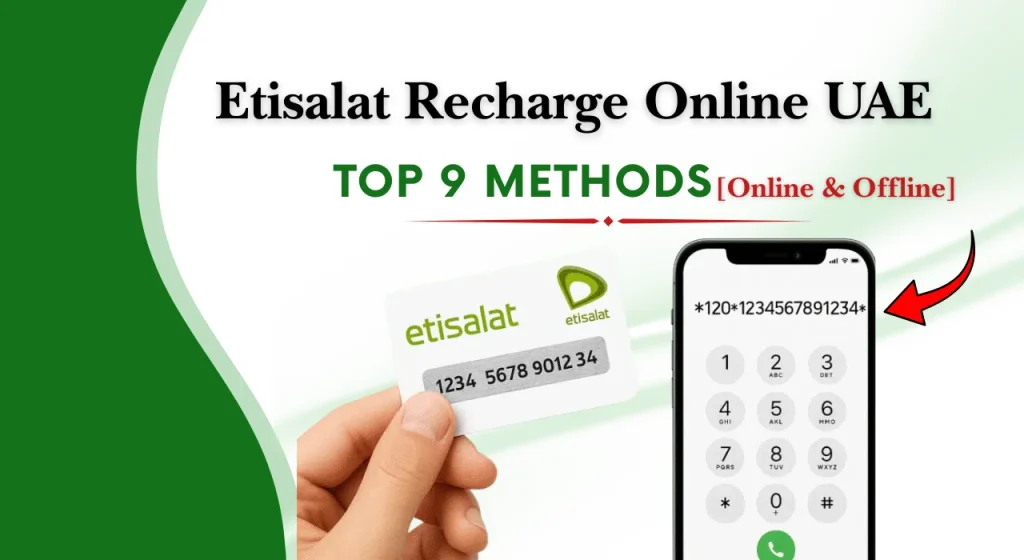
Khaleej Buzz explains how to recharge Etisalat, the best recharge methods available in 2026, and what you should know before completing an Etisalat recharge online.
Note: For official telecom information and consumer guidance in the UAE, you can also visit the Telecommunications and Digital Government Regulatory Authority (TDRA): https://tdra.gov.ae/
What Is Etisalat Recharge?
Etisalat recharge is the process of adding credit or purchasing a prepaid package for your mobile number.
Once the recharge is completed, the amount is added to your account balance, allowing you to make calls, send SMS messages, buy data packages, or activate other mobile services.
Who Can Use Etisalat Recharge Services?
These services are suitable for:
- UAE prepaid SIM users
- Visitors using tourist SIM cards
- Data SIM users
- Customers paying eligible postpaid bills
- Business users managing company mobile numbers
Supported Account Types
Different account types support different recharge methods. Before selecting a recharge option, it is helpful to know which services apply to your mobile connection.
Prepaid
Prepaid customers are the primary users of Etisalat prepaid recharge services.
Prepaid recharge offers complete spending control because you only use the balance you have added.
Visitor/Tourist SIM
Visitors travelling to the UAE can also recharge their tourist SIM cards through approved online channels, recharge cards, retail outlets, or self-service machines during the validity period of their SIM.
Data SIM
Customers using dedicated internet SIM cards for tablets, routers, MiFi devices, or other connected devices can also recharge eligible data plans through supported online and offline methods.
Postpaid Bill Payment (Where Applicable)
While recharge services are mainly designed for prepaid accounts, eligible postpaid customers can use similar online payment channels to pay their monthly mobile bills.
Best Ways to Recharge Etisalat in the UAE
There are several convenient ways to recharge Etisalat in the UAE. Some methods only require a few clicks, while others are useful for customers who prefer paying in person.
| Recharge Method | Description |
| Official Website | Recharge your prepaid number securely through the online portal using a debit or credit card. |
| Quick Recharge | Complete a recharge instantly without creating or signing into an account. |
| Mobile App | Manage your account, recharge balance, and activate packages in one place. |
| Recharge Card & E-Voucher | Redeem prepaid vouchers purchased from authorised retailers across the UAE. |
| USSD Code | Recharge using a voucher code without requiring an internet connection. |
| UAE Banks & Mobile Banking | Top up your prepaid number directly from supported banking applications or internet banking. |
| ATM Services | Recharge your mobile balance through participating ATM machines across the UAE. |
| Self-Service Kiosks | Use automated kiosks available in malls, airports, and service locations for quick top-ups. |
| Retail Stores & Authorised Outlets | Visit an authorised outlet where staff can complete the recharge for you. |
How to Recharge Etisalat Online (Step-by-Step)
An Etisalat recharge online usually takes only a few minutes. Follow these simple steps for a smooth and secure transaction.
Step 1: Choose Your Preferred Recharge Method
Select whether you want to recharge through the official website, mobile app, quick recharge page, bank application, or another approved channel.
Choose the option that best suits your convenience.
Step 2: Enter Your Etisalat Recharge Number
Carefully enter your Etisalat recharge number exactly as registered.
Double-check the number before proceeding to avoid sending the recharge to the wrong account.
Step 3: Select the Recharge Amount or Package
Choose the recharge value or select a prepaid package based on your needs.
You may choose:
- Standard balance recharge
- Data package
- Call package
- Combo plan
- International calling package
Step 4: Choose a Payment Method
Select your preferred payment option.
Common payment methods include:
- Debit card
- Credit card
- Digital wallet (where available)
- Mobile banking
- Internet banking
Always ensure that you are using a secure payment page before entering your card details.
Step 5: Confirm and Complete the Recharge
Review the mobile number, recharge amount, and payment details carefully.
Once everything is correct, confirm the transaction and wait for the payment to be processed.
Step 6: Verify the Recharge Success
After the payment is completed, you should receive a confirmation message showing that the recharge has been successful.
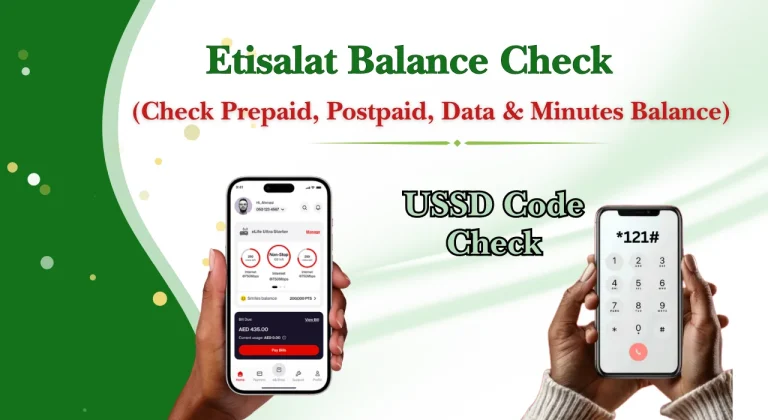
You can also verify the updated balance through the mobile app, USSD balance enquiry, or your account dashboard.
If you regularly monitor other financial services such as Lulu balance check, Fab bank Online statement, or transport services like Hafilat Recharge, following the same habit of checking your balance after every recharge helps avoid confusion and confirms that the transaction has been completed successfully.
How to Use Etisalat Quick Recharge
Quick Recharge is an online service that lets eligible prepaid customers add balance directly to their mobile number without creating or logging into an account.
The service is available at any time and supports secure online payments using approved payment methods. It is especially useful if you are using a shared device or need to recharge while travelling.
How Quick Recharge Works
Using Quick Recharge is simple and usually takes only a few minutes.
Follow these steps:
- Open the official Quick Recharge page.
- Enter your mobile number.
- Select your preferred recharge amount or package.
- Choose a payment method.
- Review the information and confirm the payment.
- Wait for the confirmation message indicating that the recharge has been completed successfully.
Most recharges are processed almost instantly, although slight delays may occur during busy periods..
Common Quick Recharge Errors and Solutions
Although Quick Recharge is generally reliable, users may occasionally experience minor issues.
| Issue | Solution |
| Incorrect mobile number | Check the number carefully before submitting the payment. |
| Payment declined | Verify your card details or use another payment method. |
| Recharge delayed | Wait a few minutes and then check your account balance again. |
| Transaction interrupted | Avoid refreshing the payment page while the transaction is processing. |
| Confirmation not received | Check your balance or payment history before attempting another recharge. |
Recharge Using the Mobile App
The official mobile application provides an easy way to manage your prepaid account.
The application is available for both Android and iOS devices.
Download and Sign In
Install the official mobile application from your device’s app store.
After installation:
- Sign in using your registered mobile number.
- Complete the verification process if required.
- Access your account dashboard.
Once logged in, you can manage most mobile services without visiting a branch.
Complete an Online Recharge
Recharging through the application is simple.
Follow these steps:
- Open the application.
- Select the Recharge option.
- Enter or confirm your mobile number.
- Choose a recharge amount or package.
- Select a payment method.
- Confirm the transaction.
A confirmation message is usually displayed immediately after the payment is successful.
Save Payment Methods for Faster Top-Ups
The application allows eligible users to securely save payment cards for future transactions.
View Recharge History
The application also keeps a record of recent recharge transactions.
This feature helps you:
Keeping track of recharge history can help you manage your monthly mobile budget more effectively.
Recharge Using Recharge Cards & E-Vouchers
Recharge cards and e-vouchers remain popular among customers who prefer paying with cash or purchasing prepaid credit from local retailers.
They are widely available at supermarkets, convenience stores, petrol stations, shopping centres, and authorised dealers across the UAE.
How to Redeem a Recharge Card
Recharge cards include a hidden voucher code that must be entered to add balance.
The general process is:
- Scratch the protective panel carefully.
- Reveal the voucher code.
- Enter the required recharge code using the appropriate method.
- Submit the request.
- Wait for the confirmation message.
Always enter the voucher code carefully to avoid errors.
How to Use an E-Voucher
An e-voucher works similarly to a physical recharge card but is delivered digitally.
After purchasing an e-voucher:
- Open the SMS or email containing the voucher code.
- Enter the code using the supported recharge method.
- Wait for the confirmation message.
Digital vouchers eliminate the need for physical cards and are convenient for online purchases.
Recharge Through UAE Banks & ATMs
Many banks in the UAE allow customers to recharge prepaid mobile numbers directly through their banking services. This method is secure, convenient, and suitable for users who frequently use digital banking.
Mobile Banking Apps
Most mobile banking applications include a mobile recharge section.
Typically, you only need to:
The recharge is usually processed immediately.
Internet Banking
Customers who use online banking through a web browser can also recharge prepaid numbers.
The process is similar to mobile banking and allows you to complete the transaction from your computer without visiting an ATM or retail outlet.
ATM Recharge
Many ATM machines across the UAE provide prepaid recharge services.
The process usually involves:
- Insert your bank card.
- Enter your PIN.
- Select Mobile Recharge.
- Enter your mobile number.
- Choose the recharge amount.
- Confirm the transaction.
Most ATM recharges are completed within a few moments.
Supported Payment Methods
Depending on the recharge channel, several payment options may be accepted.
Common payment methods include:
Etisalat Prepaid Recharge Packages (2026)
The available plans may change from time to time, so it is always advisable to check the latest offers before recharging.
| Package Type | Best For | Typical Validity |
| Daily Plan | Light users needing short-term service | 1 Day |
| Weekly Plan | Moderate internet and calling | 7 Days |
| Monthly Plan | Regular users | 28 to 30 Days |
| Data Package | Internet-only usage | Varies by package |
| Combo Package | Calls, SMS, and mobile data | Varies |
| International Calling Package | Overseas communication | Varies |
Recharge Offers, Bonuses & Cashback (2026)
Throughout the year, customers may find promotional recharge offers that provide extra value.
Always review the terms and validity period before participating in any promotional offer.
App-Exclusive Recharge Rewards
Some promotions are available only through the official mobile application.
These may include:
Bank & Card Promotions
Selected banks and payment card providers occasionally offer cashback or discounts on eligible mobile recharge transactions.
These promotions usually require payment using participating cards.
Seasonal Recharge Offers
Special recharge campaigns may become available during major holidays, shopping festivals, or other promotional periods in the UAE.
These offers often provide additional value for prepaid customers.
Loyalty Rewards
Eligible users may receive rewards based on their recharge activity or participation in loyalty programmes.
How to Check Recharge & Account Balance
You can check your recharge and remaining balance using several convenient methods.
Common Etisalat Recharge Problems and Solutions
Most Etisalat recharge online transactions are completed successfully within a few moments.
| Common Problem | Quick Solution |
| Recharge failed but payment deducted | Wait 10–30 minutes, check your balance and bank transaction, then contact support if the recharge is still missing. |
| Recharge not received | Verify the mobile number, refresh your balance, wait a few minutes, and contact support if needed. |
| Invalid recharge number | Re-enter the number carefully and ensure it is a valid prepaid mobile number. |
| Payment failed | Check your card details and account balance, then try another payment method if necessary. |
| Voucher not working | Confirm the voucher code and expiry date, and use only vouchers from authorised sellers. |
| App or website issue | Refresh the page, restart the app, check your internet connection, or try again after maintenance. |
Safety Tips for Online Recharge
Following a few basic safety practices can help keep your online recharge secure and reduce the chances of payment errors or fraud.
Tips for a Faster and Successful Recharge
Following a few simple habits can make every recharge quicker and help prevent unnecessary problems.
Etisalat Recharge Methods Comparison
There are several ways to complete an Etisalat prepaid recharge, and each method has its own advantages.
| Recharge Method | Speed | Internet Required | Best For | Main Advantage |
| Online Recharge | Very Fast | Yes | Most users | Quick and convenient |
| Quick Recharge | Very Fast | Yes | Instant top-ups | No login required |
| Mobile App | Very Fast | Yes | Regular users | Manage account and recharge together |
| Recharge Card | Fast | No | Cash users | Easy to purchase locally |
| Bank or Mobile Banking | Fast | Yes | Banking customers | Secure digital payment |
| ATM Recharge | Fast | No | Bank customers | Convenient while visiting an ATM |
| Self-Service Kiosk | Fast | Usually No | Mall visitors | Simple self-service option |
| Retail Store | Moderate | No | Users needing assistance | Staff help with the recharge process |
Conclusion
Completing an Etisalat recharge in the UAE is simple, whether you choose to recharge online, use Quick Recharge, redeem a recharge card, visit a self-service kiosk, or pay through your bank. With multiple secure options available, prepaid users can top up their balance within minutes and continue using calls, mobile data, and other services without interruption.
FAQs
How can I recharge Etisalat online?
You can complete an Etisalat recharge online by visiting the official recharge portal or using the mobile application. Enter your mobile number, choose the recharge amount or package, select a payment method, and confirm the transaction. Your balance is usually updated within a few minutes.
Can I recharge a prepaid data plan online?
Yes. In addition to standard balance top-ups, eligible users can purchase prepaid data packages online through the official website, mobile application, or other approved recharge channels.
How do I check my balance after recharging?
After completing your recharge, you can check your available balance using any of the following methods:
- Open the official mobile application.
- Use the balance enquiry USSD service.
- Sign in to your online account.
- Contact customer support if your balance has not been updated after a reasonable waiting period.
What should I do if my recharge fails but the payment is deducted?
If your payment has been deducted but the recharge has not been received, wait a few minutes and check your balance again.
Can I transfer recharge credit to another Etisalat number?
Yes, eligible prepaid customers may be able to transfer mobile credit to another supported number, subject to the applicable service rules, limits, and eligibility requirements.
Which payment methods are accepted for Etisalat online recharge?
Depending on the recharge channel, commonly accepted payment methods include:
- Debit cards
- Credit cards
- Mobile banking
- Internet banking
- Digital payment methods, where supported
The available payment options may vary depending on the recharge platform.
Can I recharge a tourist SIM?
Yes. Eligible tourist and visitor SIM cards can usually be recharged through approved online channels, recharge cards, self-service kiosks, retail outlets, and other supported recharge methods during the validity period of the SIM.