Salik Balance Check In UAE 2026: 6 Simple & Easy Ways!
Checking your Salik balance regularly can help you avoid low-balance problems, unexpected toll charges and possible violations when driving in Dubai. Now in this advanced era 2026, drivers can check their Salik balance through several digital and offline options.
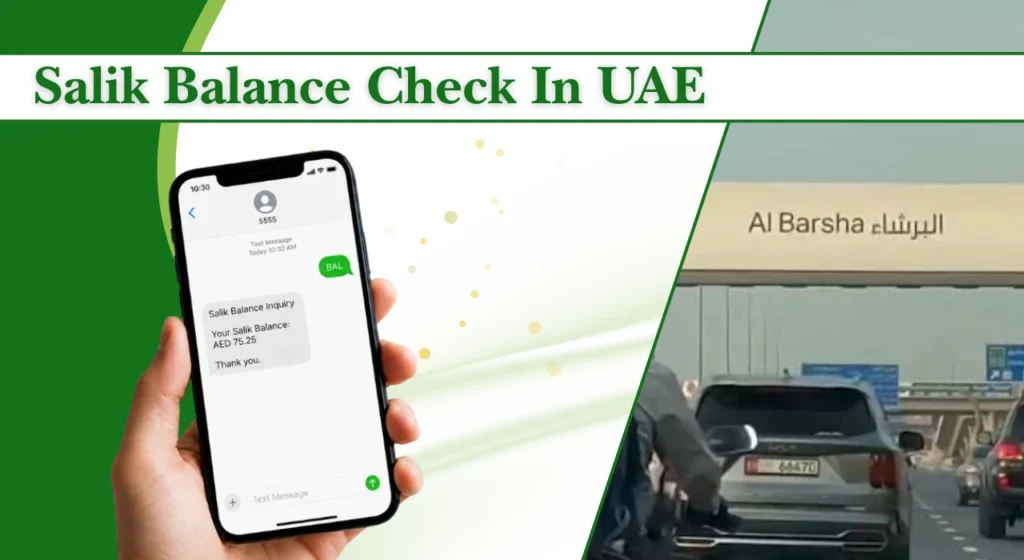
The Roads and Transport Authority (RTA) currently provides a Salik balance service that allows users to check by plate number or by account number.
This guide explains the main ways to complete a Salik balance check, how to recharge your account, and what to do if your balance does not update correctly.
What Is Salik in the UAE?
Salik is Dubai’s electronic road toll system. It uses a free-flow system, so vehicles do not need to stop at toll booths. A registered vehicle is identified automatically when it passes through a tolling point, and the applicable charge is deducted from the linked Salik account.
| Salik Toll Timing | Toll Fee |
| Peak hours, Monday–Saturday | AED 6 |
| Off-peak hours, Monday–Saturday | AED 4 |
| 1:00 AM–6:00 AM | Free |
| Sundays, paid periods | AED 4 |
Peak hours are 6:00 AM–10:00 AM and 4:00 PM–8:00 PM, while off-peak hours are 10:00 AM–4:00 PM and 8:00 PM–1:00 AM.
For official transport services, you can use the RTA official portal, which provides Salik balance and other vehicle-related services.
What Is a Salik Tag?
A Salik tag is an electronic identification tag attached to the vehicle’s windscreen. It is linked to your Salik account and allows the toll system to identify the vehicle when it passes through a toll gate.
The tag is different from your Salik account number. Your account contains the balance and transaction information, while the tag is attached to the vehicle and communicates with the tolling system.
If you change your vehicle, plate number or registered mobile number, make sure your Salik account information is updated. This helps prevent problems with toll deductions and account notifications.
Salik Tag Activation
After getting a new Salik tag, it needs to be activated and linked correctly to your account and vehicle. Activation is important because simply having the physical tag does not mean the account information is automatically correct.
You can manage tag activation through the official digital service. The current mobile application also supports Salik tag activation, account balance enquiries and registered vehicle information.
Why Should You Check Your Salik Balance Regularly?
Checking your Salik balance can help you:
The account holder is responsible for ensuring that sufficient funds are available. If a toll is incurred with insufficient funds, the account terms provide a five-working-day period to recharge, subject to the stated exclusions, after which the outstanding amount can be deducted automatically.
How to Check Salik Balance in the UAE
There are several ways to complete a Salik balance check. The best option depends on whether you have internet access, your account details and your preferred method of managing the account.
1. Check Salik Balance Online
The online method is one of the easiest options for drivers who have access to a phone or computer. The RTA service currently offers Salik balance checking by plate or account. For the plate option, you need to select the relevant plate details and enter the registered mobile number.
A typical process is:
- Open the official online Salik balance service.
- Select By Plate or By Account.
- Enter the requested information.
- Complete the security verification if requested.
- Submit the enquiry.
- Review your available balance.
This is useful when you want a quick balance check without installing another application.
2. Check Salik Balance Through a Mobile App
The official mobile app provides a convenient way to manage your account while travelling. According to the RTA, the app supports balance enquiries, account recharges, tag activation, registered vehicle information, recent trips and Salik fine management.
After signing in, open the Salik account section and view the current balance. You can also use the same account for other management tasks, such as checking recent transactions or adding funds.
3. Check Salik Balance Through the RTA Website or App
The RTA’s digital services provide another way to check your balance. The online service currently shows two enquiry options, by plate and by account.
For a plate enquiry, keep your plate information and registered mobile number ready. For an account enquiry, you will need your Salik account number and PIN.
The same RTA portal also provides other vehicle services, including Rta fine check facilities, making it useful for drivers who want to review several vehicle-related services in one place.
4. Check Salik Balance at a Kiosk
Self-service kiosks can be useful if you prefer an in-person option or do not want to complete the process on your phone.
At an available kiosk, follow the on-screen instructions and select the balance enquiry service. Depending on the service available at the location, you may be asked for your account information and PIN.
Kiosks can also be useful for account-related transactions and recharges. Availability can change, so it is better to confirm the nearest active location before making a special trip.
5. Check Salik Balance Through the Call Centre
If you do not have reliable internet access, you can use the Salik telephone service. The customer service number is 800-SALIK (72545).
The automated service can guide you through account-related options. Keep your account number and PIN available before calling, as these details may be needed to access your account.
This option can also be helpful when an online balance appears incorrect or you need assistance with an account problem.
6. Check Salik Balance by SMS
SMS can be useful when you have limited internet access. The Salik SMS service uses the number 5959 for supported account services.
Because SMS instructions and service formats can change, check the latest instructions linked to your account before sending sensitive information. Avoid sending your PIN to an unverified number or following instructions received from unknown messages.
SMS may also carry a mobile network charge depending on the service and your operator.
7. Check Salik Balance Using Your Account Number
Your Salik account number provides a direct way to access your account. The official RTA balance service accepts an account number and PIN as one of its enquiry options.
This method is useful if you already have your account details available. Enter the information carefully and make sure you are using an official service before entering your PIN.
Salik Balance Check Methods: Comparison
Different methods suit different situations. The following table gives a simple comparison.
| Method | Internet Required | Cost | Ease of Use | Additional Features |
| Online service | Yes | Generally free | Easy | Balance and account enquiry |
| Mobile app | Yes | Generally free | Very easy | Recharge, trips, tag and account management |
| RTA service | Yes | Generally free | Easy | Other vehicle services |
| Kiosk | No | Depends on transaction | Moderate | Balance and selected account services |
| Call centre | No | Call charges may apply | Easy | Account support |
| SMS | No | Mobile SMS charges may apply | Easy | Quick account enquiry |
| Account number | Depends on method | Usually free | Easy | Direct account access |
How to Recharge Your Salik Account
If your balance is low, recharge it before your next trip through a toll gate. The official mobile application supports account recharging, while online services can also be used to manage the account.
Recharge Salik Through the Website
Sign in to your online account and choose the recharge option. Enter the required account details, select an available payment method and confirm the transaction.
After payment, check the account balance again to make sure the credit has been applied.
Recharge Salik Through a Mobile App
Open the official app and sign in to your account. Select the recharge option, enter the required amount and complete the payment.
The app is particularly useful for frequent drivers because you can check the balance and recharge from the same place.
Recharge Salik by SMS
SMS recharge is another option for eligible accounts and recharge cards. The service uses 5959, but always check the latest official SMS format before sending a recharge request.
Never share your account PIN with another person, and verify that you are following the correct service instructions.
Recharge Salik Through the Call Centre
Call 800-SALIK (72545) and follow the automated instructions for account recharge. You may need your Salik account number, PIN and recharge information.
This method can be useful when you cannot access the website or app.
Important Tips for Managing Your Salik Account
A few simple habits can prevent most Salik account problems:
If you also manage other vehicle records, keep Salik information separate from Traffic fine check in Dubai records because toll transactions and traffic violations are different services.
Common Salik Balance Issues and Solutions
Most balance problems are caused by delayed updates, incorrect account information or temporary service issues. Check the following solutions before contacting support.
| Salik Balance Issue | Possible Reason | Recommended Solution |
| Balance not showing after recharge | Recharge is still processing or the account has not refreshed | Check your payment confirmation and account history. Wait and check again before making another payment. |
| Recharge not reflected | Payment completed but credit has not been added | Keep the payment receipt and reference number, then contact customer support if the balance remains unchanged. |
| Unable to check balance online | Incorrect details, internet issue or temporary service problem | Check your internet connection and confirm your plate number and registered mobile number. Try the mobile app or phone service if needed. |
| SMS balance check not working | Incorrect SMS format, number or registered mobile details | Confirm the latest SMS instructions and use the online service or call centre if the SMS enquiry fails. |
| Negative or insufficient balance | Not enough credit to cover toll charges | Recharge your account as soon as possible. Avoid regular travel with a very low or negative balance. |
FAQs
Can I Check My Salik Balance Without an Account?
A full account enquiry requires account information, but the official online balance service also provides a plate-based option using the plate details and registered mobile number.
How Can I Check Salik Balance by Plate Number Online for Free?
Use the official online balance service and select the plate option. Enter the required plate information and registered mobile number, then submit the enquiry.
What Is the SMS Number for Checking Salik Balance?
The commonly used Salik SMS service number is 5959. Before sending account information, confirm the current instructions through an official Salik service because SMS formats can change.
Can I Check Salik Balance by Plate Number Without SMS?
Yes. The official RTA online service currently provides a By Plate balance option. It asks for the plate details and registered mobile number, so you do not have to rely on SMS for the enquiry.
What Happens If My Salik Balance Is Negative?
Recharge your account as soon as possible. If you pass a toll point with insufficient funds, the applicable account terms provide a limited grace period to settle the outstanding amount.
What Is the Minimum Salik Balance I Should Keep?
There is no single balance amount that is ideal for every driver. Your required credit depends on how often you use toll roads and the routes and times you travel.
As a practical habit, keep enough credit for several expected toll crossings rather than waiting until the balance is nearly zero.
Is Salik Balance Checking Free?
Online balance enquiries are generally available without a separate balance-check fee.
Why Is My Salik Balance Not Showing After a Recharge?
The payment may still be processing, or the recharge may have been made using incorrect account information. Check your payment confirmation and transaction history first.
If the amount was deducted from your payment method but is missing from Salik, contact customer support with the transaction reference.
How Can I Enable Auto-Recharge for Salik?
If auto-recharge is available for your account, check the account or payment settings in the official digital service. Follow the current instructions to select the recharge conditions and payment method.
Can I Check Salik Balance Without a Registered Mobile Number?
The plate-based online enquiry requires a registered mobile number according to the current RTA service.
What Are the Salik Toll Gate Timings?
| Time | Toll Rate |
| Peak: 9:00 AM–5:00 PM | AED 6 |
| Off-peak: 7:00–9:00 AM & 5:00 PM–2:00 AM | AED 4 |
| Late night: 2:00–7:00 AM | AED 0 |
| Sundays | AED 4 during paid hours |